

Every growing business eventually hits a familiar wall. Your spreadsheets have become labyrinthine databases that only two people in the company understand. Email chains about approvals stretch across weeks. Critical data sits scattered across SharePoint folders, Google Drives, and someone’s local hard drive. Manual processes that once took minutes now consume hours.
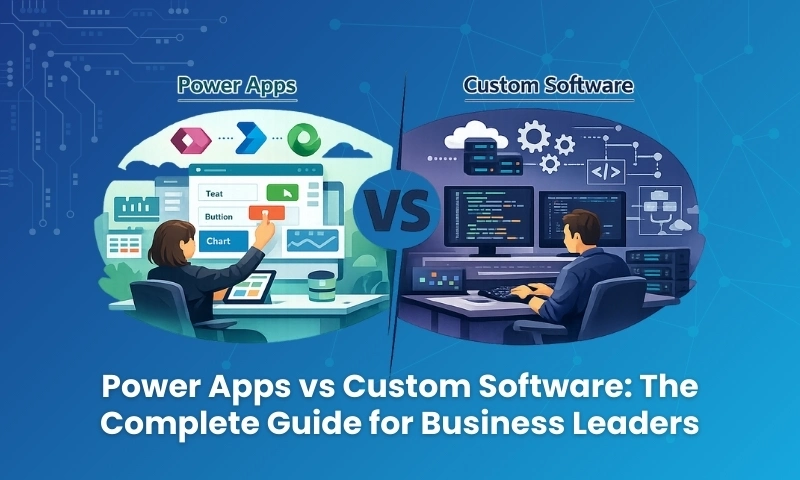
When you reach this inflection point, leadership faces a pivotal technology decision: Should we build custom software from scratch, or should we use Microsoft Power Apps?
This isn’t merely a technical choice. It’s a strategic decision that will affect your operational speed, financial planning, security posture, hiring needs, and ability to scale. Yet most businesses make this choice without fully grasping the long-term implications of each path.
This comprehensive guide removes that confusion. We’ll explore both options with clarity, examine real-world tradeoffs, and help you make a decision rooted in business reality rather than technology hype.
Understanding Your Two Paths
Before diving into comparisons, let’s establish exactly what we’re comparing.
What Power Apps Really Is
Microsoft Power Apps is a low-code development platform that allows organizations to build business applications primarily through visual tools rather than extensive programming.
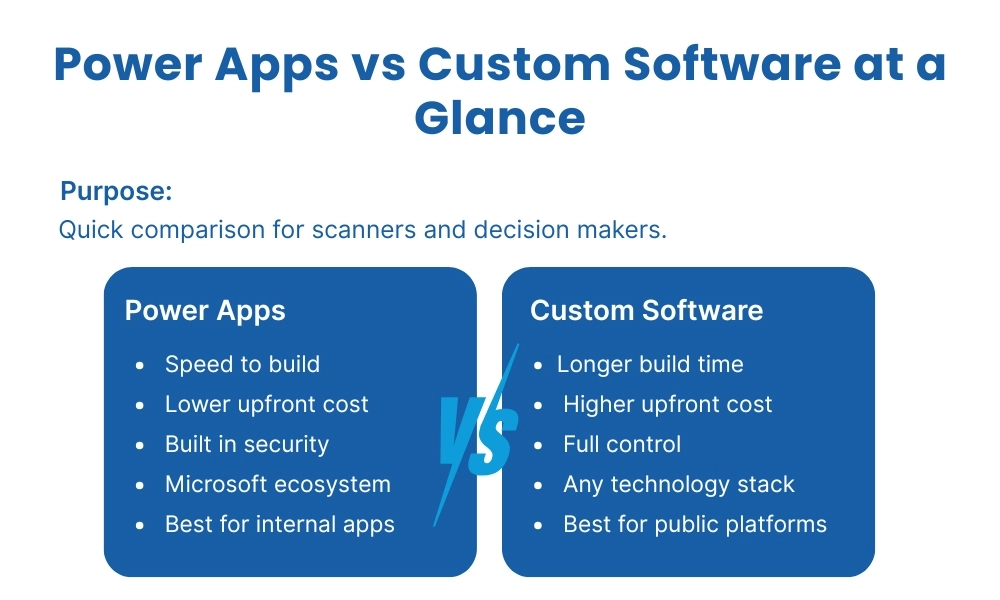
The core concept is straightforward: instead of writing thousands of lines of code, you design screens by dragging and dropping components, connect to data sources through pre-built connectors, and automate workflows using Power Automate. Security, user authentication, and infrastructure are largely handled by Microsoft’s platform.
Power Apps shines brightest when your organization already operates within the Microsoft ecosystem—Office 365, SharePoint, Dynamics 365, or Azure. The platform integrates natively with these tools, making data flow seamlessly across your business operations.
Common applications built with Power Apps include:
- Internal request and approval systems
- Employee onboarding workflows
- Inventory and asset tracking
- Compliance checklists and auditing tools
- Departmental dashboards
- Field service applications
- Inspection and reporting tools
Power Apps is fundamentally designed to solve internal business problems quickly and cost-effectively.
What Custom Software Development Entails
Custom software means building an application from the ground up, with developers controlling every aspect of the system.
This includes designing the database architecture, building backend logic, creating the user interface, implementing authentication systems, establishing security protocols, and managing hosting and deployment infrastructure.
Custom development offers complete freedom but demands complete responsibility. Every feature requires planning, development time, and testing. Every change represents a cost. Every update needs careful deployment to avoid breaking existing functionality.
The custom software approach involves:
- Complete control over technology stack
- Tailored database design for specific needs
- Custom business logic implementation
- Unique user interface and experience
- Full ownership of security architecture
- Direct management of hosting and scaling
Custom software is powerful and flexible, but it’s also demanding and resource-intensive.
Why Businesses Struggle With This Decision
Technology marketing often presents every solution as universally perfect. Low-code platforms promise speed and simplicity. Custom software promises unlimited freedom and scalability.
The truth lives in the nuanced middle ground.
Modern businesses need solutions that deliver quickly, control costs upfront, scale safely as they grow, and avoid creating technical debt that will haunt them for years. This is precisely why the Power Apps versus custom development debate has become so critical for CTOs, founders, and business leaders.
Speed to Market: How Fast Can You Actually Move?
Time-to-market can make or break business opportunities. Let’s examine the realistic timelines for each approach.
Power Apps Development Speed
Power Apps is engineered for rapid delivery, and this isn’t just marketing speak—it’s measurably faster for most business applications.
Why Power Apps moves quickly:
- Pre-built UI components eliminate design-from-scratch work
- Built-in security and authentication save weeks of development
- Ready-made connectors to common data sources
- No infrastructure setup or server configuration
- Templates for common business scenarios
Realistic Power Apps timelines:
- Simple application (basic forms, simple workflows): 1-2 weeks
- Medium complexity (multiple screens, integrations, business rules): 3-6 weeks
- Enterprise internal application (complex workflows, multiple integrations): 1-3 months
This speed enables a powerful business strategy: you can test ideas quickly, gather user feedback, and iterate based on real-world usage rather than theoretical requirements.
For a mid-sized manufacturing company, this might mean launching an equipment maintenance tracking app in three weeks rather than waiting six months for a custom solution. The faster launch means months of improved operational efficiency and data collection.
Custom Software Development Reality
Custom software development follows a more traditional and extended timeline, regardless of how experienced your development team might be.
The stages you cannot skip:
- Requirements gathering and documentation
- Architecture planning and technology selection
- Database design
- Backend development
- Frontend development
- Integration development
- Comprehensive testing
- Deployment and infrastructure setup
Even seemingly straightforward projects routinely take several months because each stage requires careful attention and iteration.
Realistic custom software timelines:
- Simple application (basic CRUD operations, simple logic): 3-5 months
- Medium complexity system (integrations, business logic, reporting): 6-9 months
- Complex platform (multiple modules, advanced features, scalability): 12+ months
Speed becomes a critical risk factor when market conditions change rapidly. A six-month development cycle means your initial requirements might be outdated by launch. Your competitors might release similar features first. Your business priorities might shift entirely.
Cost Analysis: Understanding Total Cost of Ownership
Cost extends far beyond the initial development invoice. Let’s break down what you’ll actually pay over time.
Power Apps Cost Structure
Power Apps operates on a licensing model that Microsoft manages, creating predictable monthly expenses rather than large upfront investments.
You typically pay for:
- Per-user licensing ($5-40/user/month depending on features)
- Per-app licensing (around $10/user/month per app)
- Premium connector access (included in some plans)
- Additional storage if needed
What Microsoft handles in that price:
- Cloud hosting and infrastructure
- Security updates and patches
- Platform improvements and new features
- Compliance certifications
- System availability and uptime
Financial advantages businesses appreciate:
- Lower upfront capital investment
- Predictable monthly operational expenses
- No server purchase or management costs
- Reduced maintenance overhead
- Lower total cost for internal-use applications
For many organizations, especially those with 50-500 employees, this model significantly reduces financial risk. A company with 200 employees might spend $2,000-$8,000 monthly on Power Apps licensing—substantial but predictable, and typically far less than maintaining equivalent custom systems.
Custom Software Financial Reality
Custom software starts with significant upfront investment and continues requiring funding indefinitely.
Initial development costs include:
- Business analysis and requirements ($10,000-$50,000+)
- UX/UI design ($15,000-$75,000+)
- Backend development ($50,000-$300,000+)
- Frontend development ($40,000-$200,000+)
- Testing and quality assurance ($20,000-$80,000+)
- Initial deployment ($5,000-$30,000+)
These ranges vary enormously based on complexity, geographic location of developers, and project scope.
Ongoing costs that never stop:
- Cloud hosting or server infrastructure ($500-$5,000+/month)
- Maintenance and bug fixes ($3,000-$15,000+/month)
- Security monitoring and updates ($1,000-$5,000+/month)
- Feature enhancements (highly variable)
- Database management and optimization
Hidden costs businesses frequently overlook:
- Developer dependency (what happens when key people leave?)
- System upgrade costs as technologies evolve
- Security compliance auditing and remediation
- Knowledge transfer when team members change
- Technical debt accumulation requiring eventual rewrites
A medium-complexity custom application might cost $150,000-$400,000 initially, then require $50,000-$150,000 annually to maintain properly. Over five years, total ownership cost could exceed $500,000-$1,000,000.
Cost Comparison Table
| Factor | Power Apps | Custom Software |
| Upfront investment | $5,000-$50,000 | $100,000-$500,000+ |
| Ongoing monthly cost | $1,000-$10,000 | $5,000-$20,000+ |
| Infrastructure management | Included | Separate expense |
| Maintenance burden | Low (Microsoft handles platform) | High (your responsibility) |
| Budget predictability | High | Low to moderate |
| Scale-related cost increases | Gradual (per-user) | Potentially sudden (infrastructure) |
Flexibility and Customization: How Much Control Do You Actually Need?
Flexibility sounds universally desirable, but it comes with significant tradeoffs that deserve honest examination.
Where Power Apps Delivers Flexibility
Power Apps provides substantial customization capabilities that satisfy most internal business requirements:
- Custom workflow design with conditional logic
- Complex business rules and data validation
- Role-based access control and security
- Data integrations across multiple sources
- Customizable user interfaces
- Mobile-responsive applications
- Offline capability for field workers
For the majority of internal business processes—approval workflows, data collection, reporting, department operations—this flexibility is entirely sufficient.
Where Power Apps Shows Limitations
Power Apps encounters constraints in specific scenarios:
- Extremely complex computational logic or algorithms
- Very high-performance requirements (sub-second response times with massive data)
- Completely unique architectural needs that don’t fit standard patterns
- Public-facing consumer applications requiring pixel-perfect branding
- Applications requiring deep integration with non-Microsoft legacy systems
Understanding these boundaries early prevents frustration and expensive pivots later. A financial services company learned this when they tried building a high-frequency trading algorithm platform in Power Apps—completely the wrong tool for that specific job.
Why Custom Software Feels Unlimited
Custom development offers complete architectural freedom. You can build precisely what you envision, optimize performance to exacting standards, and create entirely unique user experiences.
But this unlimited control brings unlimited responsibility. Every architectural decision creates maintenance obligations. Every custom feature becomes code that must be understood, tested, and updated as technologies evolve.
The key question isn’t “Can we build anything?” but rather “Should we build this, given the long-term maintenance implications?”
Planning for Growth
Most businesses choose technology based on current needs, which often proves shortsighted.
How Power Apps Scales
Power Apps scales effectively for internal business operations:
- Supports thousands of internal users
- Handles department and enterprise growth
- Microsoft manages performance and availability
- Automatic infrastructure scaling
For internal operations, Power Apps typically scales far beyond what most companies need. A global manufacturing company with 5,000 employees successfully runs multiple mission-critical Power Apps without performance issues.
Where Power Apps May Struggle with Scale
Power Apps isn’t ideal for:
- High-traffic public websites (millions of visitors)
- Consumer SaaS platforms with demanding performance expectations
- Real-time processing of massive data streams
- Applications requiring sub-millisecond response times
Custom Software Scaling Potential
Custom software can scale remarkably well—if designed correctly from the start. This is a critical conditional.
Scalability depends on:
- Initial architecture quality
- Development team expertise
- Infrastructure investment
- Database design choices
- Caching strategies
- Load balancing implementation
Poor architectural decisions in early development can make scaling prohibitively expensive later. Many startups have essentially rewritten their entire platforms after hitting scale limitations—an expensive lesson in the importance of skilled architecture.
Non-Negotiable Considerations
Security cannot be an afterthought, especially with increasing regulatory requirements.
Power Apps Security Advantages
Power Apps leverages Microsoft’s enterprise-grade security infrastructure:
- Azure Active Directory integration
- Multi-factor authentication
- Role-based access control
- Data encryption at rest and in transit
- Compliance certifications (SOC 2, ISO 27001, HIPAA, GDPR)
- Regular security updates managed by Microsoft
- Data loss prevention policies
For regulated industries—healthcare, finance, government—this enterprise security framework represents enormous value. A healthcare provider building a patient tracking system inherits HIPAA-compliant infrastructure rather than building and certifying it from scratch.
Custom Software Security Responsibility
With custom software, security responsibility falls entirely on your development team.
Strong security requires:
- Security architecture expertise
- Continuous vulnerability monitoring
- Regular penetration testing
- Timely patch management
- Compliance certification processes
- Security incident response planning
Security mistakes in custom software can be catastrophic and expensive. Data breaches, regulatory fines, and reputational damage far exceed any development cost savings.
What Happens After Launch
Many software projects fail after launch, not before, due to inadequate maintenance planning.
Maintaining Power Apps
Microsoft handles the platform layer:
- Platform updates and new features
- Security patches
- Infrastructure health monitoring
- Performance optimization
Your team focuses on:
- Business logic improvements
- User feedback incorporation
- Process refinements
Maintenance effort remains relatively low and predictable.
Maintaining Custom Software
Custom software requires continuous attention:
- Code updates as programming languages evolve
- Library and framework upgrades
- Security vulnerability patches
- Bug fixes and issue resolution
- Performance monitoring and optimization
- Database maintenance and scaling
Without diligent maintenance, technical debt accumulates. Code becomes harder to modify. Bugs multiply. Security vulnerabilities emerge. Eventually, the system may require complete replacement—an expensive outcome that could have been avoided.
Fitting Into Your Technology Ecosystem
No business application exists in isolation.
Power Apps Integration Strength
Power Apps offers native integration with:
- Microsoft 365 (Outlook, Teams, SharePoint, OneDrive)
- Dynamics 365
- Azure services
- SQL Server
- Common SaaS tools (Salesforce, SAP, ServiceNow)
- Custom APIs via Power Automate
Over 600 pre-built connectors eliminate integration development time. For Microsoft-centric organizations, this creates a seamless technology ecosystem.
Custom Software Integration Reality
Custom software can integrate with anything—in theory. In practice:
- Each integration requires custom development
- Integration code needs ongoing maintenance
- API changes in external systems require updates
- Testing complexity multiplies with each integration
A custom application might require weeks of development for integrations that Power Apps accomplishes in hours with pre-built connectors.
Who Owns the System Long-Term?
Technology decisions create long-term organizational dependencies.
Power Apps and Citizen Development
Power Apps enables what Microsoft calls “citizen development”:
- Business users can build simple applications
- IT teams provide governance and oversight
- Changes happen faster without developer bottlenecks
- Knowledge stays distributed across the organization
This democratization of development improves organizational agility. A procurement manager can modify an approval workflow without waiting for IT’s development queue.
Custom Software and Developer Dependency
Custom software creates significant developer dependency:
- Specialized knowledge concentrated in few people
- Risk when developers leave the organization
- Changes slow when key people are unavailable
- Difficulty finding developers familiar with your specific codebase
This dependency represents a serious long-term business risk. A company lost six months of development capability when their lead developer left unexpectedly, taking critical system knowledge with them.
When Each Approach Wins
Understanding ideal use cases clarifies decision-making.
Where Power Apps Excels
Internal workflow automation: A healthcare organization built a patient referral tracking system in Power Apps, connecting Dynamics 365 and SharePoint, completed in six weeks.
Operational dashboards: A retail chain created store performance dashboards pulling real-time data from multiple sources, giving regional managers instant visibility.
Compliance and auditing: A manufacturing company automated safety inspection workflows on tablets, ensuring consistent compliance documentation.
Department-level solutions: Marketing teams, HR departments, and operations groups build custom tools without consuming IT development resources.
Where Custom Software Wins
Customer-facing platforms: A SaaS company built a custom project management platform serving thousands of paying customers, requiring unique features and performance.
Public applications: A media company created a custom content platform handling millions of visitors monthly with sophisticated content delivery.
Complex transaction systems: A fintech startup developed custom trading algorithms and risk management systems requiring millisecond performance.
Unique competitive advantages: Companies building proprietary technology that differentiates them in the marketplace need full control and customization.
The Hybrid Approach: Using Both Strategically
Many sophisticated organizations don’t choose one over the other—they use both strategically.
A typical hybrid approach:
- Power Apps for internal operations, workflows, and departmental tools
- Custom software for customer-facing products and core intellectual property
This strategy reduces risk, balances speed with power, and allocates development resources to highest-value activities. A financial services company uses Power Apps for internal compliance tracking and loan processing workflows, while maintaining custom software for their customer-facing investment platform.
Making Your Decision: A Framework
Ask these questions honestly:
- How quickly do we need results? (Weeks vs. months can matter enormously)
- Is this internal or customer-facing? (Internal strongly favors Power Apps)
- What’s our realistic budget? (Including 5-year total ownership cost)
- Do we have long-term access to skilled developers? (Many companies overestimate this)
- How complex is the business logic truly? (Most internal processes aren’t as complex as we think)
- How critical is security and compliance? (Regulated industries benefit from Microsoft’s certifications)
- Does this create competitive advantage? (Core IP may justify custom development)
Common Mistakes to Avoid
Choosing based on trends rather than needs: Building custom software because it seems more “serious” or modern, despite Power Apps being more appropriate.
Overbuilding too early: Creating custom software for internal tools that Power Apps could handle at fraction of the cost.
Ignoring maintenance costs: Focusing only on development cost while underestimating ongoing expenses.
Underestimating security complexity: Assuming security is easy until facing compliance audits or security incidents.
Assuming one size fits all: Every application in your organization doesn’t need the same approach.
Final Recommendations
Choose Power Apps when:
- Speed to market matters significantly
- Budget control is important
- Your organization uses Microsoft tools extensively
- The application serves internal users
- Compliance and security are critical concerns
- You want to reduce developer dependency
Choose custom software when:
- Complete architectural control is required
- The application is public-facing with unique requirements
- Scale and performance are mission-critical
- Business logic provides competitive differentiation
- You have stable, skilled development resources
- Long-term investment in proprietary technology makes strategic sense
The right choice aligns with business reality, not technology ideology.
Conclusion
Technology decisions should support business growth, not impede it.
The goal isn’t to build software for its own sake. The goal is solving business problems efficiently and sustainably. Whether that happens through Power Apps, custom software, or a hybrid approach depends entirely on your specific context.
Power Apps has democratized business application development, making sophisticated tools accessible to organizations that couldn’t previously justify custom development costs. For internal operations, it represents a remarkable value proposition.
Custom software retains its place for applications requiring complete control, unique functionality, or serving as core business intellectual property.
The businesses that thrive are those that choose pragmatically, matching technology approaches to business needs rather than following trends or ideology.
Choose the path that keeps your business moving forward efficiently, sustainably, and strategically. That’s the only metric that truly matters.